Thursday, December 20, 2007

Linking Graphing Calculators

Just in case you forgot how to transfer that Probability program from your graphing calculator to the other calculators in your room, here you go!
(Full directions are on p. 254 in the book that came with our calculators, in case you need to refer to it.)
For receiving calculator:
'APPS' button
#1: Link
red, right arrow to Receive
ENTER

For sending calculator:
'APPS' button
#1: Link
scroll down to A: APPS
ENTER
scroll down to ProbSim
ENTER
hit red, right arrow to transmit
ENTER

Remember that all of your calculators will be set to have the same results, so if you want them to be different, you need to go in a set the Seed:
APPS
#6 ProbSim
any key
ZOOM (for options)
type in a different # for each calculator
ENTER
GRAPH (for OK)

Problems? Let me know and I'll see if I can help. Good luck!

Tuesday, November 27, 2007

Pre-algebra exam answer sheet

Here's an answer sheet for the pre-algebra exam, in case you don't use scantron and don't want to flip through all those pages to grade it. http://spreadsheets.google.com/pub?key=pFOdyaPws6eq7PMHmi8_HTg

Monday, November 26, 2007

Statistics Supplemental Material

Here is a link to one of the documents that Kathy Berry sent me. I'll try to add more soon. If you have problems viewing, please let me know and I will e-mail them directly to you :)

http://docs.google.com/Doc?id=dtt2dmv_1dnsbpn

Thursday, October 25, 2007

Supplemental worksheets

If you are looking for additional practice for your students, check out the Glencoe website for pre-algebra: http://www.glencoe.com/sec/math/prealg/prealg03/index.php4/na
Specifically, there are study guides for students to take home as homework. The answers are on the bottom of the sheet, so if you don't want the students to have them, cut it off or cover it before you make copies. http://www.glencoe.com/sec/math/prealg/prealg03/study_guide/index.php4/na
All of the materials are organized by chapter for the Glencoe book, so you can find the topics you need.

Thursday, September 27, 2007

Create worksheets with this download!

I have used this program for several years now. If you go to the website: http://www.schoolhousetech.com/ , you can click on downloads. There are several programs available. I use the Mathematics Worksheet Factory. If you download it, you can only open the program 20 times before you have to pay for it to keep it. It gets erased off my computer every summer when they reformat the drives, so I just get on and download it again. I imagine you could uninstall it and download it again if you use up your 20 free trials. I just print out a bunch of worksheets that I anticipate needing over the next month or so; that way I don't go over my 20 uses.
Anyhow, with this program, you can create worksheets for math practice. There are categories for algebra, geometry, number sense, money, time, measurement, etc. You can limit the number of problems, digits to include, or choose which operations you want. There are even answer keys, if you need them; when you print out the worksheet, check the box for answer key. Great homework or practice idea if you are looking to supplement the concepts in the book!

Tuesday, September 11, 2007

AIMS

Here is the link for the AIMS website. If you have not gone through the training, you can still check out the website. There are many free activities, as well as, activities that cost $1-$2 for complete lesson plans, including worksheets. They have ideas for both math and science. The link is also posted below in the links for teachers section.
http://www.aimsedu.org/index.html

Tuesday, August 28, 2007

E-mail addresses

Hi everyone -
I added a section below that has a list of all of the people who have signed up or been invited to join the blog. I added the e-mail addresses, so that other teachers can e-mail you directly, if they wish. If you do not want your name and e-mail address displayed or if I typed it incorrectly, please drop me an e-mail. The other blogs had a sidebar with user names, but I guess this template does not include that feature.

Tuesday, August 21, 2007

Here are the websites that some of the "First Day" worksheets came from:
Math Families: www.geocities.com/makeca3/fact_family1.jpg
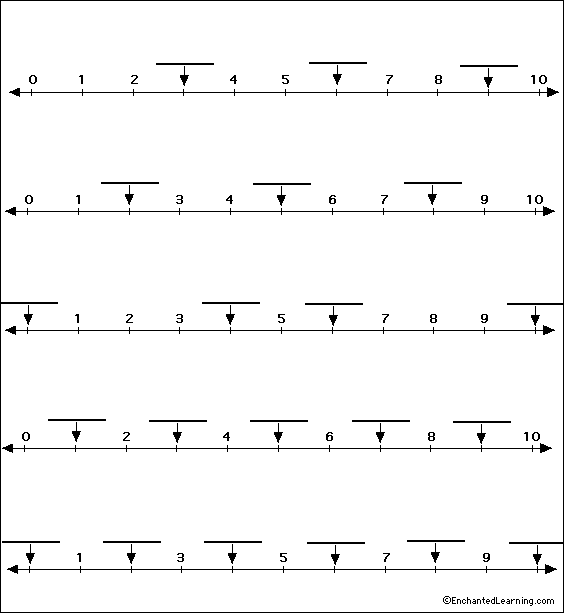
Number Lines: www.enchantedlearning.com/math/numberline/label10b/big.GIF
Multiplication: http://math.about.com
Multiplication Chart: www.teach-nology.com
Divisibility: http://math.about.com/library/bldivide.htm?p=1
and also: www.mytestbook.com (Free membership required)
Hundreds Chart: www.abcteach.com
Pre-Algebra (expressions): www.mathgoodies.com
Algebra word problems: www.teach-nology.com

Most of these sites have lots of other math activities. Some have members only sections; some memberships are free. MyTestBook.com also has activities for science, reading, logic, and more.
If you have any questions, please drop me an e-mail!

Wednesday, May 23, 2007

Welcome to the new blog for ISD Teachers! Thanks to Jill Koenemann for the idea of starting a blog! We hope that the teachers in the county will help us build a wonderful list of resources to help everyone who is teaching pre-algebra and algebra in the coming years.